Introduction
Society is a CLI tool for running and connecting AI agents across machines. It implements the Agent-to-Agent (A2A) protocol over JSON-RPC 2.0, letting agents communicate regardless of where they run — locally, in Docker containers, or on remote servers over SSH.
What it does
Section titled “What it does”- Runs agents from YAML config files as HTTP servers
- Routes messages between agents through HTTP, SSH tunnels, Docker networks, or stdio pipes
- Manages a registry of known agents with their connection details
- Exposes agents as MCP tools for Claude Desktop, Cursor, or any MCP-compatible client
- Daemon mode starts multiple agents in one process
How agents work
Section titled “How agents work”Every agent is a JSON-RPC 2.0 server that handles one method: tasks/send. You send a message, you get a response. That’s it.
Agents are defined by two things:
- A handler that processes messages (echo, greeter, or exec — which wraps any CLI tool)
- A transport that determines how to reach the agent (HTTP, SSH, Docker, or stdio)
The exec handler is the most powerful — it lets you wrap any command-line tool as an agent. The default config wraps Claude Code, turning it into a conversational agent that maintains session state across messages.
Architecture
Section titled “Architecture”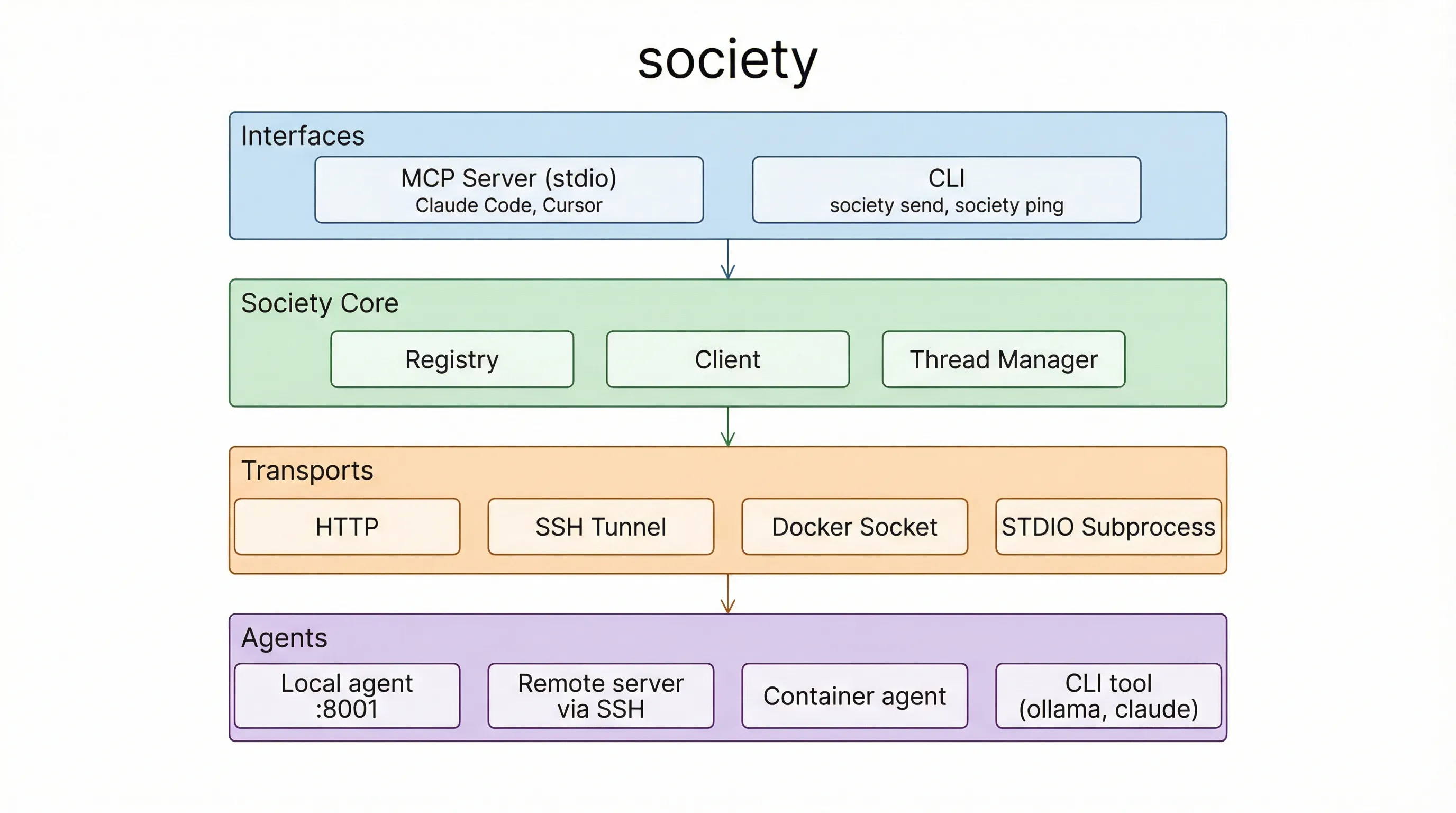
Request flow
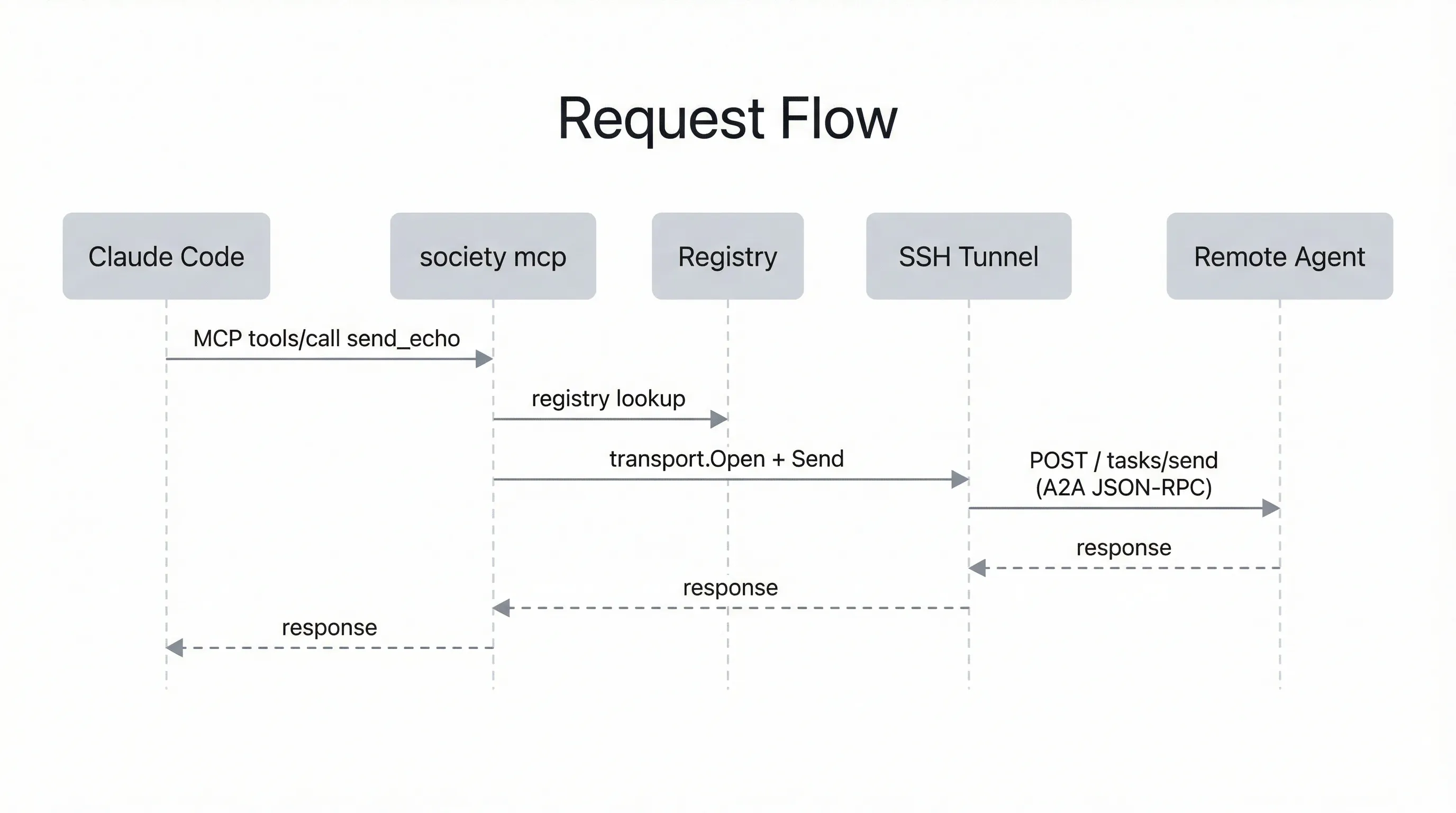
Section titled “Request flow”Here’s what happens when Claude Code sends a message to a remote agent:
Trust model
Section titled “Trust model”Society is built on trust. There is no authentication, no approval gates, and no permission system — agents accept and process any incoming message. This is by design.
The assumption is that you own and control every machine in your network. You set up each one yourself, install the agents, and decide what they can do. Your private network (typically Tailscale or a LAN) is the security boundary — only machines you’ve added can reach your agents.
This means Society is not designed for untrusted environments. Don’t expose agent ports to the public internet without additional protections. If you need stricter controls in the future (API keys, allowlists, per-agent permissions), those can be layered on — but for a personal network of machines you own, trust is the right default.
Next steps
Section titled “Next steps”- Install society to get the binary
- Follow the quickstart to run your first agents and send messages across machines